

Settings
Your name, language, theme, time zone and sessions in Settings → General, the connected number in Settings → WhatsApp, and where to see usage and plans.
To open it, click Settings in the left-hand bar (on a phone, in the bottom bar). The pages come in two groups: Personal (General and WhatsApp) and Team (Members, Usage and credits, Plans and Integrations).
Settings → General
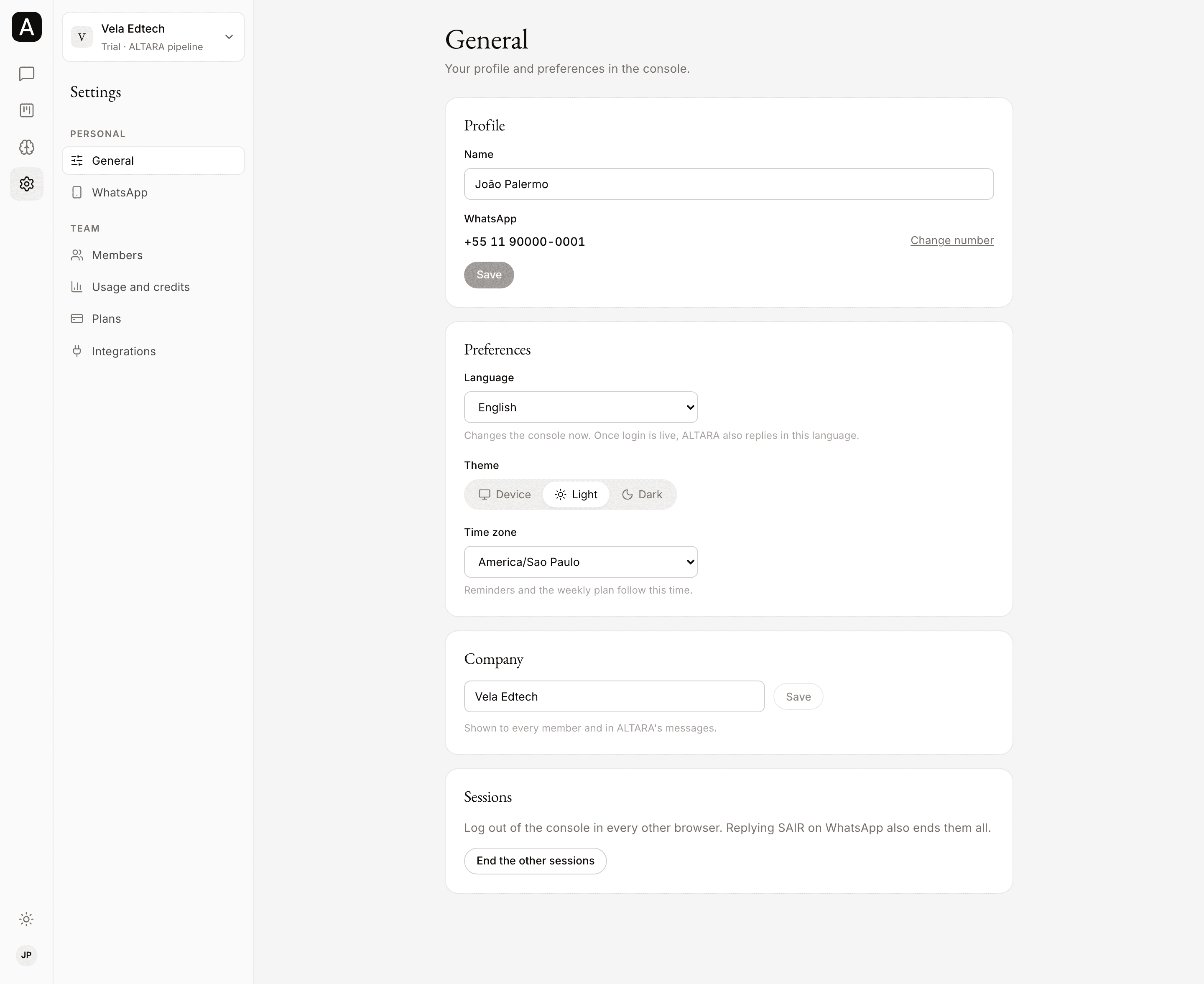
Profile
- Name: how your team sees you, in the member list, on notes and in account history. Change it and click Save.
- WhatsApp: the number you log in to the console with and talk to ALTARA from. It can't be changed here. See Changing your WhatsApp number.
Preferences
- Language: Português (Brasil) or English. The console switches at once, on every page and date.
- Theme: Device follows the light or dark mode of your phone or computer. Light and Dark fix one of them. Your choice is saved in this browser. You can also switch the theme with the button at the bottom of the left-hand bar, or in the menu on a phone.
- Time zone: pick yours from the list. For now, dates in the console and reminders on WhatsApp follow São Paulo time (Brasília time).
Company
Only admins see this block. In Company name, change the name and click Save. The name shows to every member and in ALTARA's messages.
Sessions
Click End the other sessions to log out of the console on every other browser. The browser you are on stays logged in, and the console tells you how many sessions it ended. To log out everywhere, this browser included, reply SAIR on WhatsApp. See How to log out.
Settings → WhatsApp
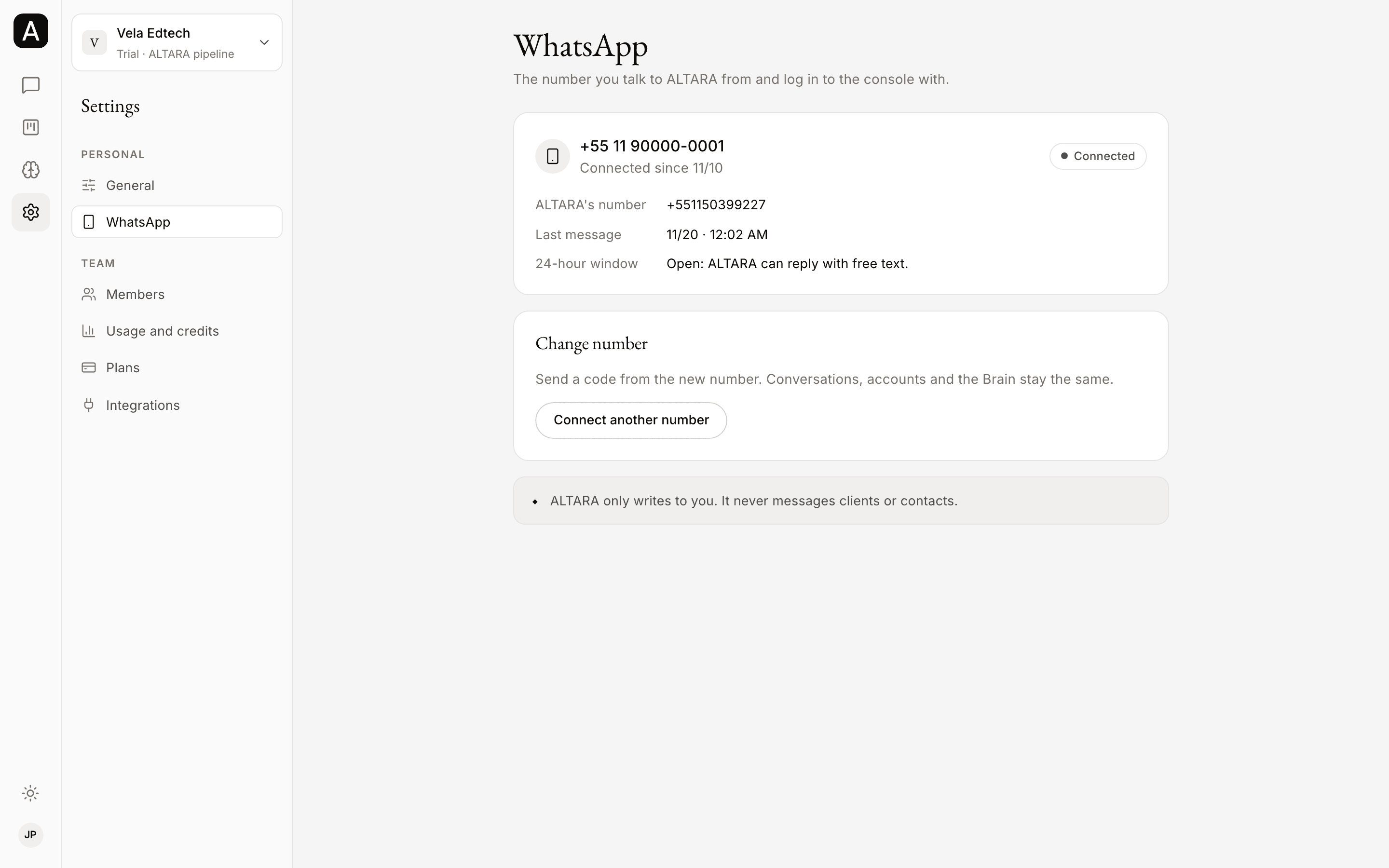
This page still shows sample data. Your real connected number is the one in Settings → General, under WhatsApp.
Once it is ready, the page will show the number you talk to ALTARA from and log in with, since when it has been connected, ALTARA's number and your Last message.
Changing your number from the console is coming too. The page says: "Changing your number from the console comes soon. Until then, it is the number you logged in with." If you changed numbers, talk to the ALTARA team.
Usage, credits and plans
- Settings → Usage and credits shows the company's credit balance and what each member spent. See Balance and alerts.
- Settings → Plans shows the plans and how to change yours. See Plans.
Members and integrations
- Settings → Members: see Members.
- Settings → Integrations: see Integrations.
Switch companies
Switching companies is not in Settings: it sits on the company name at the top of the sidebar. See Switch companies.