

Console
Chatting in the console
Chatting with ALTARA in the console is coming soon. What already works on Home, how the chat will work and how to talk to ALTARA today.
Chatting in the console is not live yet. For now, the Ask ALTARA box and the chats show sample data: what you type there does not reach ALTARA and is not saved. To talk to ALTARA today, use WhatsApp. See ALTARA on WhatsApp.
What already works on Home
The Today cards, below the message box, already show your company's accounts:
- accounts with a new signal: open accounts with a signal in the last 7 days;
- accounts idle for 14 days or more: open accounts with no activity;
- open accounts: the total, with the See the board shortcut.
Click a card to open the accounts in Accounts.
How the chat will work
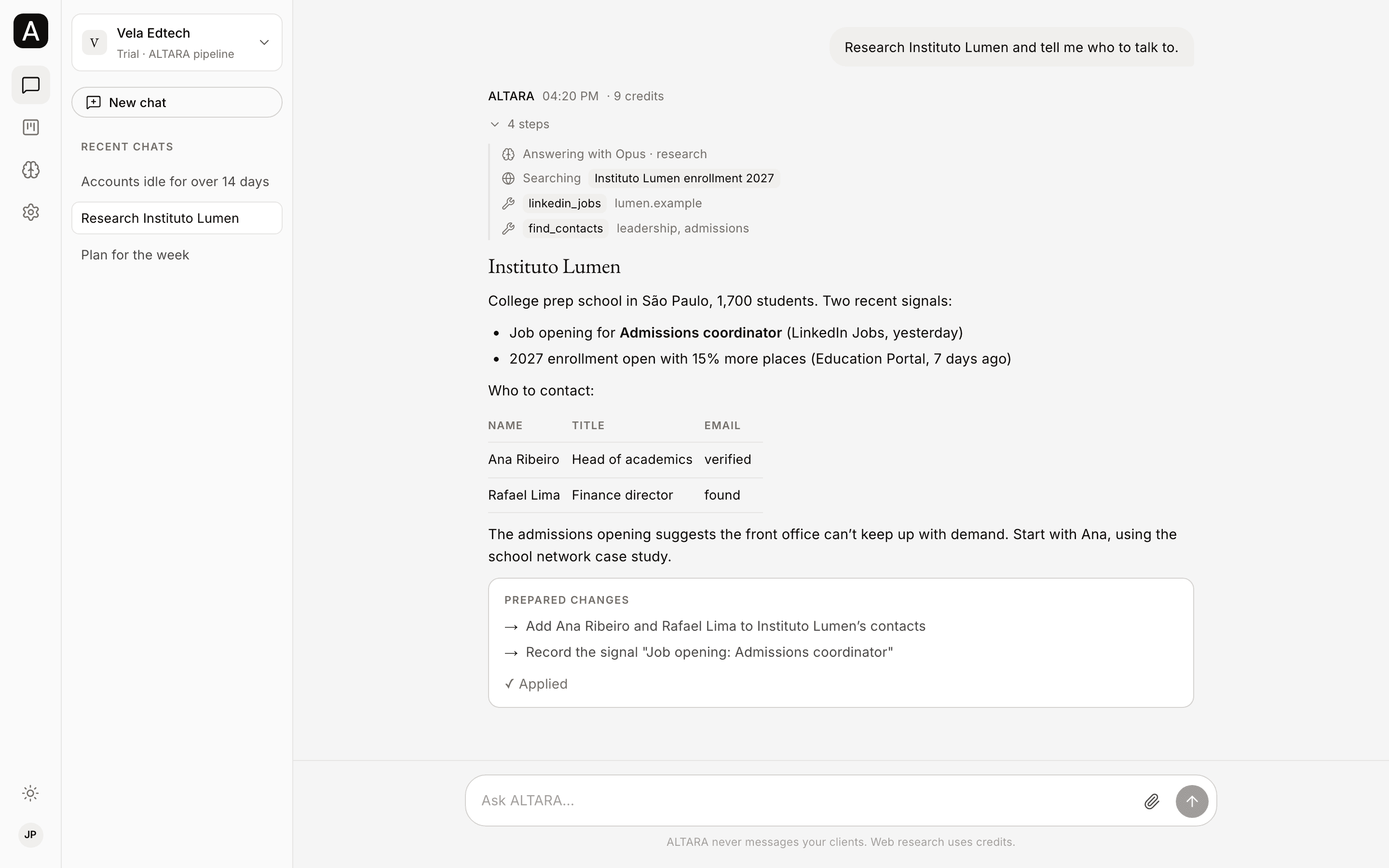
- Chats separate from WhatsApp, with the same company. Each console chat is separate from your WhatsApp conversation, but the accounts, the Brain, reminders and credits are the same.
- To start, type in Ask ALTARA… on Home, or tap a suggestion. You can also open a chat with New chat, or with the Ask ALTARA button on an account's page. Enter sends; Shift + Enter adds a line.
- Chats stay in the sidebar, under Recent chats, with a short title taken from the first message.
- You see what ALTARA is doing. While it works, the chat shows Working… and each step, such as Thinking and Searching. After the answer, the steps fold into a button you can open any time. If the answer spent credits, the total shows next to the time.
- Fuller answers. In the console, ALTARA can use headings, tables and longer answers than on WhatsApp.
- Nothing changes until you confirm. When ALTARA prepares a change, such as adding contacts to an account, it shows a Prepared changes card with Confirm and Cancel. Confirming applies only to the changes prepared in that chat.
- You can leave the page. Closing the page does not stop the answer. It shows when you open the chat again.
- Nothing goes out on WhatsApp. A console chat sends no WhatsApp message. Files ALTARA makes in a console chat are visible only to your company's members.
Web research spends credits, in the console and on WhatsApp. See Costs.
Meanwhile, on WhatsApp
Everything the console chat will do, you can already ask ALTARA for on WhatsApp: