

Console tour
The console's four areas, where everything is on a computer and on a phone, and how to switch companies.
The console lives at agent.altaratech.com. It is the same ALTARA as on WhatsApp, with the same company accounts: an account ALTARA creates on WhatsApp shows up in the console, and what you change in the console holds on WhatsApp. To get in, see Log in to the console.
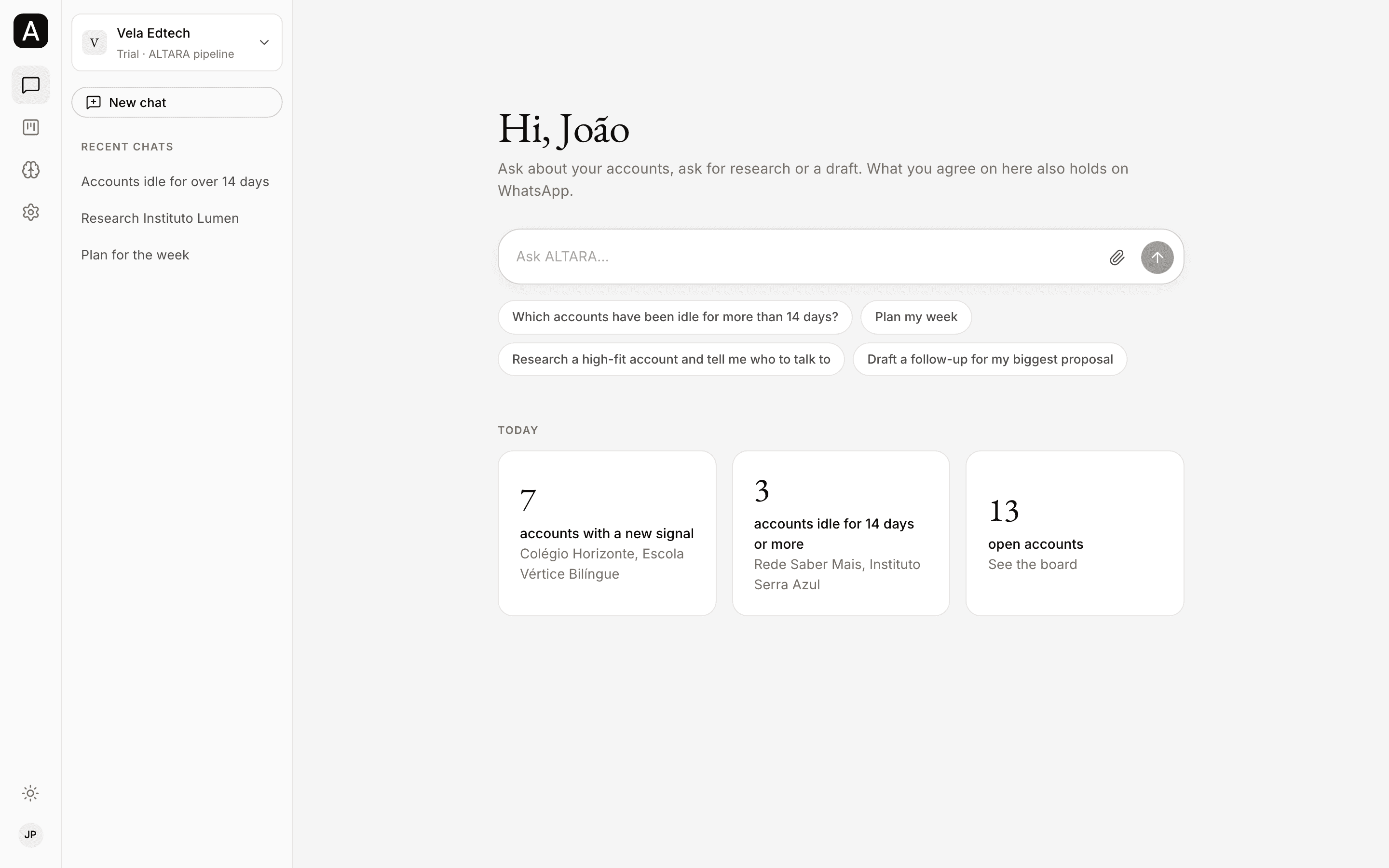
The four areas
| Area | What it holds | Today |
|---|---|---|
| Home | Chatting with ALTARA in the console, and the Today summary | The Today cards already show your accounts. Chatting in the console is coming soon. |
| Accounts | The pipeline as a board and as a list, and each account's page | Shows your company's data. |
| Brain | What ALTARA knows about your company: instructions, memories, files and links | Coming soon. |
| Settings | Your profile, the team, credit usage, plans and integrations | General and Members show your data. WhatsApp, Usage and credits, Plans and Integrations still show sample data. |
A page that does not show your company's data yet says so at the top: "Sample data: this page does not show your company’s data yet." Nothing you do on those pages is saved or reaches ALTARA.
On a computer
- Left-hand bar. The icons of the four areas: Home, Accounts, Brain and Settings. At the bottom are the theme button (device, light or dark) and your avatar, which you use to Log out.
- Sidebar. At the top, your company's name, with its plan and where its pipeline lives, for example Trial · ALTARA pipeline. Below it, the pages of the open area:
- Home: New chat and Recent chats.
- Accounts: Board, List and the ready-made Views.
- Brain: Overview, Team instructions, Your instructions, Memories and the files, under Team and Personal.
- Settings: under Personal, General and WhatsApp; under Team, Members, Usage and credits, Plans and Integrations.
- Page. The content of the page you picked.
On a phone
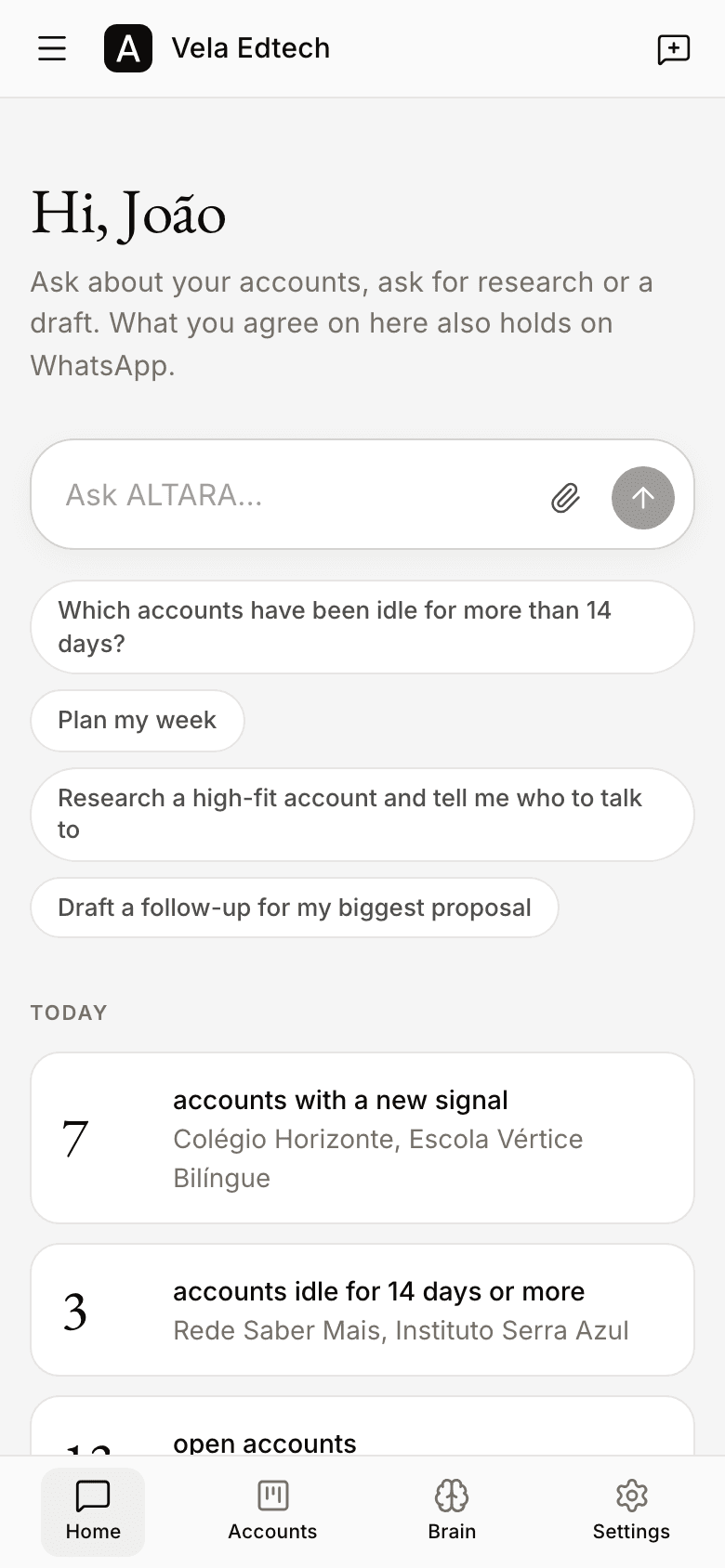
- At the bottom, a bar with the four areas.
- At the top, the menu button, your company's name and the New chat button.
- Just below the top bar, the area's pages show as buttons. Swipe sideways to see them all.
- The menu holds what the sidebar holds on a computer: switching companies, recent chats, the Accounts views, the Brain files, the theme and Log out.
Switch companies
If you belong to more than one company on ALTARA, pick the one you want to work in. The company you pick holds in the console and on WhatsApp.
- Click the company name at the top of the sidebar. On a phone, it is in the menu.
- The list shows your companies, with a ✓ next to the current one.
- Click the company you want. The console now shows its data.
Pages in this section
Accounts
The board, the filtered list and each account's page.
Members
Roles, the invite link, phone invites and seats.
Settings
Profile, language, theme, sessions and the connected number.
Integrations
Which CRM holds your pipeline and how to connect yours.
Chatting in the console
Chatting with ALTARA in the console, coming soon.
Brain
Instructions, memories, files and links, coming soon.