

Integrations
Which CRM holds your company's pipeline, how to connect your CRM and how to ask for a tool that isn't listed.
Where your company's pipeline lives
Your company's name, at the top of the console's sidebar, tells you where the pipeline lives:
- ALTARA pipeline: the pipeline lives in the ALTARA CRM. It is the default when you start, and there is nothing to set up. You see and change accounts in Accounts, in the console, and on WhatsApp.
- Pipedrive pipeline: ALTARA works right in your company's Pipedrive pipeline. What it changes on WhatsApp, after your yes, and what you change in the console goes to Pipedrive. See what the console shows in If your company uses Pipedrive.
To learn how ALTARA works with each CRM, see Pipeline and CRM.
Connect your CRM
The Settings → Integrations page still shows sample data. The Request integration buttons and the Another integration field don't reach the ALTARA team yet, and the statuses shown there, such as Requested, are examples. To connect your CRM or ask for another tool, talk to the ALTARA team directly.
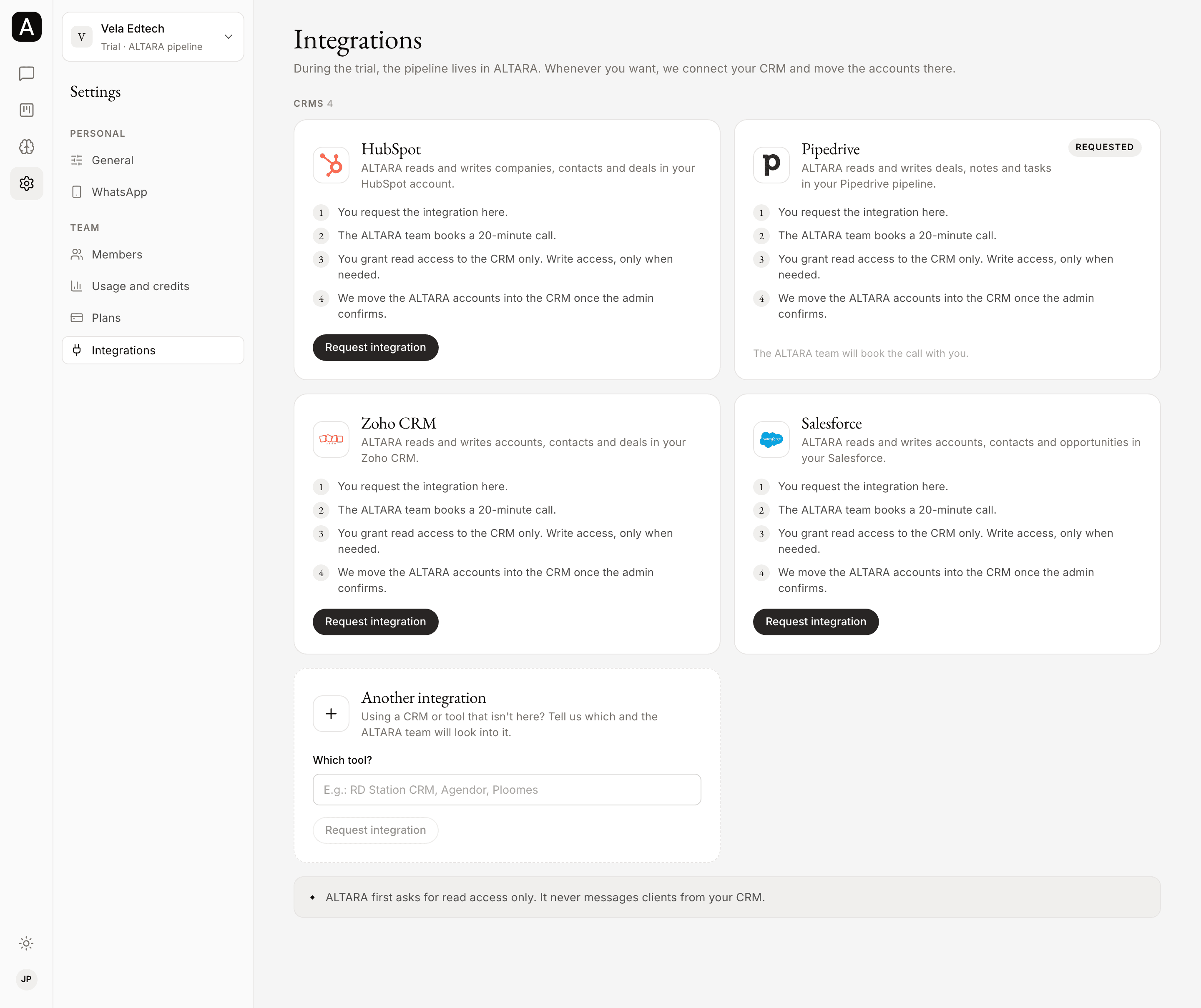
Once it is ready, the page will list the CRMs HubSpot, Pipedrive, Zoho CRM and Salesforce, each with what ALTARA does in it and these steps:
- You request the integration on the page.
- The ALTARA team books a 20-minute call.
- You grant read access to the CRM only. Write access, only when needed.
- The team moves the accounts from the ALTARA CRM into your CRM once an admin confirms.
A CRM already linked to your company shows as Connected.
Ask for a tool that isn't listed
Using a CRM or another tool that isn't on the page, such as RD Station CRM, Agendor or Ploomes? Tell the ALTARA team which one. Once the page is ready, the Another integration block will have a Which tool? field for that request.
When it connects to a CRM, ALTARA first asks for read access only. Write access comes only when it is needed.
Settings
Your name, language, theme, time zone and sessions in Settings → General, the connected number in Settings → WhatsApp, and where to see usage and plans.
Chatting in the console
Chatting with ALTARA in the console is coming soon. What already works on Home, how the chat will work and how to talk to ALTARA today.