

Brain
The Brain will bring together what ALTARA knows about your company, with instructions, memories, files and links. It is coming soon.
The Brain is not live yet. For now, the Brain pages show sample data: what you create, edit or delete there is not saved and ALTARA does not use it. This page explains how it will work.
The Brain will hold everything ALTARA knows about your company. Each thing it learns is written there, for you to read and edit. Accounts are not in the Brain: they live in Accounts.
To open it, click Brain in the left-hand bar (on a phone, in the bottom bar).
Overview and the graph
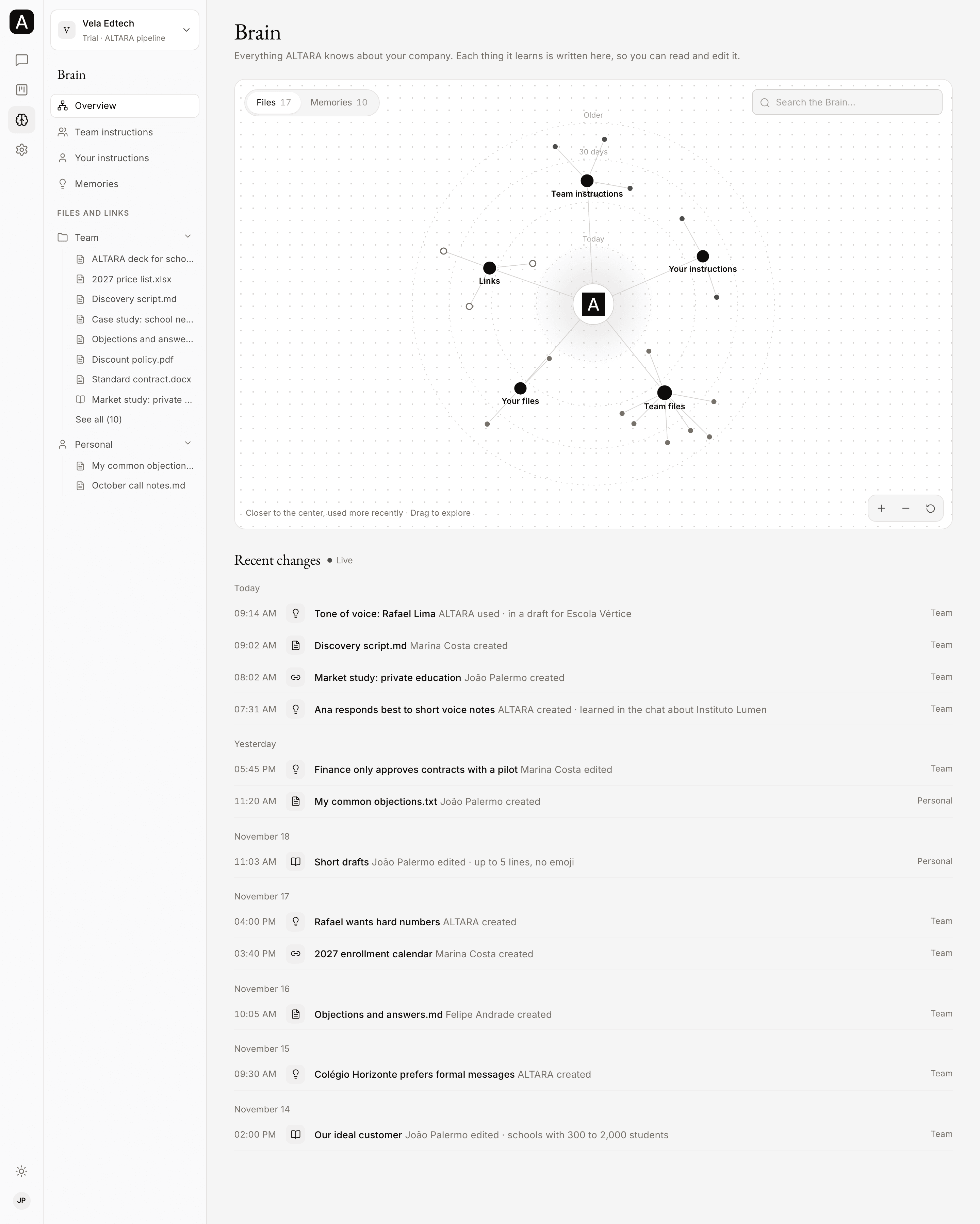
In Brain → Overview, a graph shows what ALTARA knows, with ALTARA at the center and a group for each kind of item.
- Files shows instructions, files and links. Memories shows tone of voice, preferences and facts.
- What ALTARA used most recently sits closer to the center, in rings: Today, 7 days, 30 days and Older.
- Drag to explore. Use Zoom in, Zoom out and Center, or two fingers on a phone.
- Click an item to see its text, its date and an Open button. Use Search the Brain… to find an item.
Below the graph, Recent changes lists every change to the Brain, by day: who created, edited, deleted or used each item. In the sidebar, the files sit in a tree, under Team and Personal.
Instructions
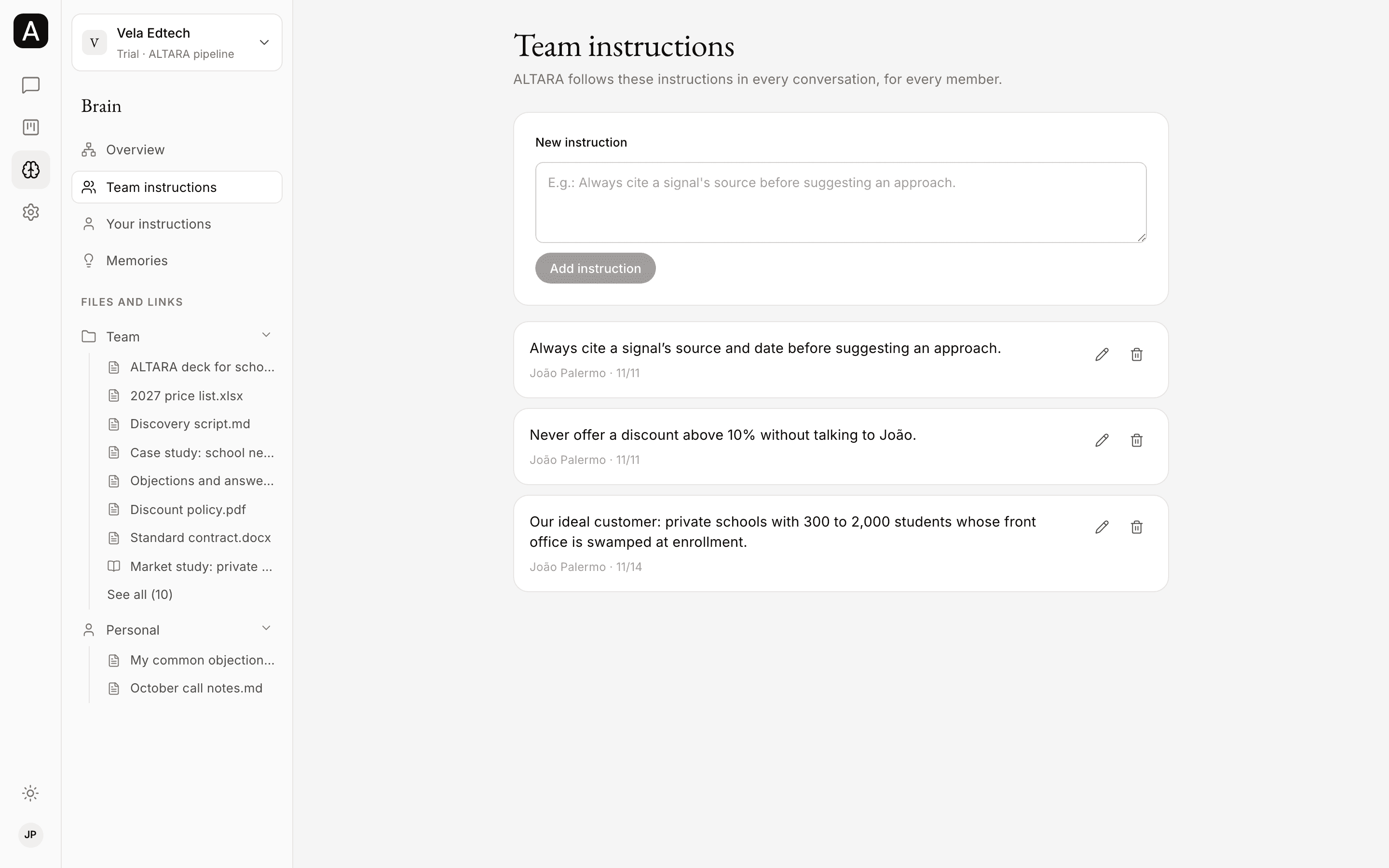
Instructions tell ALTARA how to work. There are two kinds:
- Team instructions (Brain → Team instructions): ALTARA follows them in every conversation, for every member. For example: "Always cite a signal's source before suggesting an approach." Only admins change what holds for the team.
- Your instructions (Brain → Your instructions): just for you. ALTARA follows them in your conversations. For example: "Short drafts, up to 5 lines."
To add one, type in New instruction and click Add instruction. Each instruction has buttons to edit and delete it.
Memories
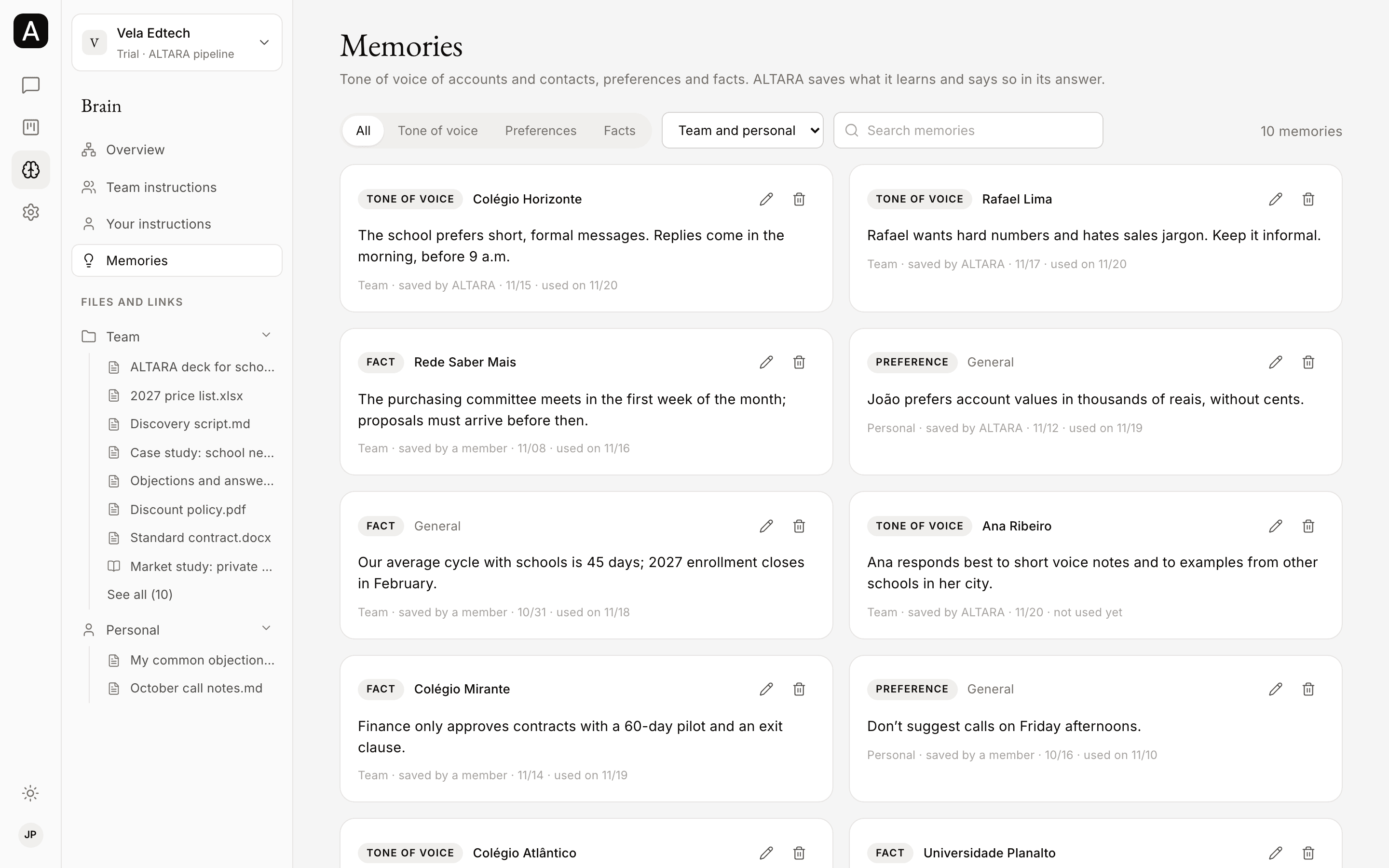
Memories are what ALTARA learns over time. There are three kinds:
- Tone of voice: how to talk to an account or a contact. For example, that a school prefers short, formal messages.
- Preference: how you like to work.
- Fact: something worth knowing about the company or an account.
When ALTARA learns something worth keeping, it saves it as a memory and says so in its answer. The memory is yours only, or the whole team's when the person talking to it is an admin. A member can also save a memory.
Preferences go into every conversation. Memories about an account or a contact are looked up only when the subject calls for them.
In Brain → Memories, filter by All, Tone of voice, Preferences or Facts, pick the Scope (Team and personal, Team or Personal) and use Search memories. Each memory shows whose it is, who saved it and when ALTARA last used it.
Files and links
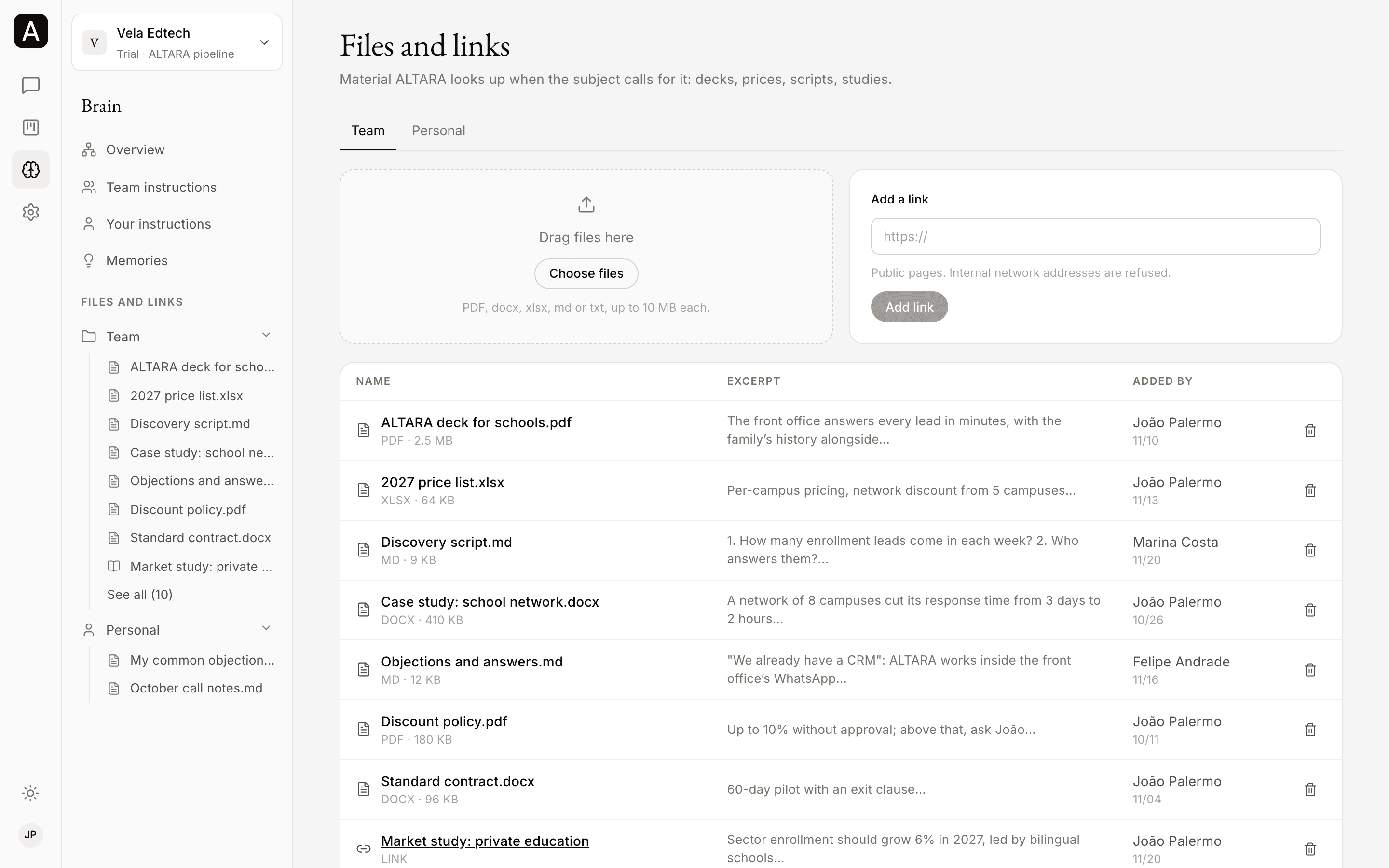
In Brain → Files and links, you keep the material ALTARA looks up when the subject calls for it: decks, price lists, scripts, studies.
- Pick the Team or Personal tab.
- Drag files onto the page or click Choose files. The page takes PDF, docx, xlsx, md or txt, up to 10 MB each.
- In Add a link, paste the address of a public page, starting with
https://. Internal network addresses are refused.
ALTARA reads a file or link only when the subject calls for it, as reference material. What is written in a file never becomes an instruction to it.
Who edits what
| Member | Admin | |
|---|---|---|
| See the team's items | Yes | Yes |
| Create, edit and delete their own personal items | Yes | Yes |
| Create, edit and delete the team's items | No | Yes |
Each person's personal items are theirs alone. Every change shows in Recent changes.